Your GPTs are saved. Now bring them back to life anywhere.
GPT Converter Pro turns your whole backup into Claude Skills, Claude Projects, Gemini kits, and ChatGPT plugin packages in one click. Your exact instructions and your original knowledge files come along for the ride.
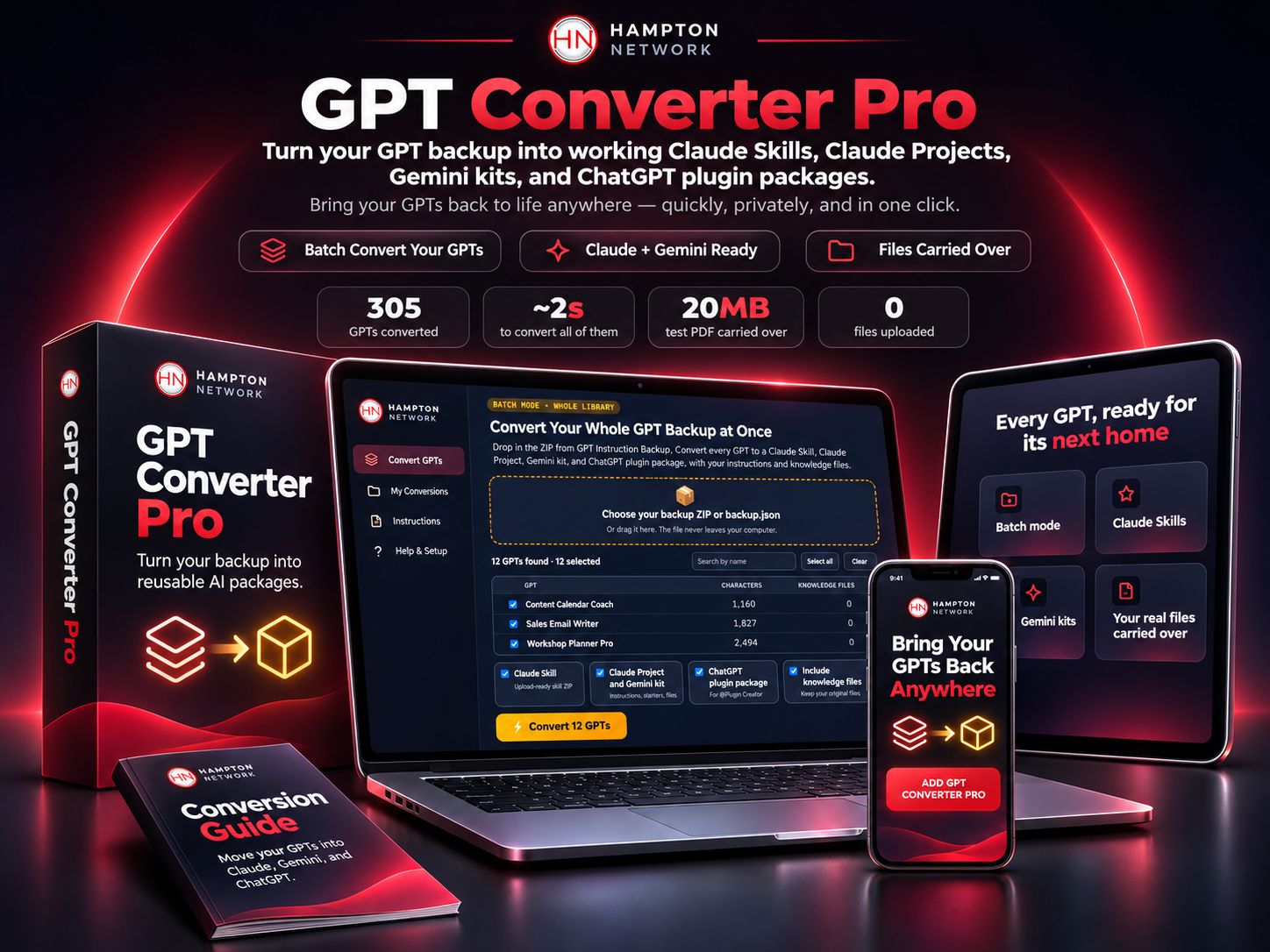
Drop in your backup ZIP and convert every GPT at once. Shown with sample GPT names.
A backup keeps your work safe. Rebuilding it is a whole other project.
You now hold every instruction and file. Turning them into working assistants somewhere new is where the hours disappear.
One GPT at a time adds up
Copy the instructions, re-upload the files, add the starters, test it. Then repeat that for every GPT you own.
Every tool wants a different format
Claude Skills need a SKILL.md file with the right header. Plugins need a manifest. Projects need instructions and files in the right place.
Gemini Gems are changing too
Google is turning Gems into Gemini skills. On personal accounts, Gems become read-only on November 17, 2026. Your work needs a new home again.
Every GPT, ready for its next home
Batch mode
Drop the ZIP from GPT Instruction Backup and convert your whole library in one click. Pick all of them or just the ones you need.
Claude Skills
A ready-to-upload skill ZIP for every GPT, with your instructions and your knowledge files inside.
Claude Projects and Gemini
A tidy kit per GPT with the instructions, starters, files, and simple setup steps for Claude Projects and Gemini.
ChatGPT plugin packages
Built to OpenAI's documented plugin layout, ready for @Plugin Creator or the OpenAI developer portal.
Your real files carried over
The PDFs, docs, and spreadsheets from your backup go straight into each package. Nothing gets retyped.
Single GPT studio and guides
Paste any instructions to get a master prompt, starter knowledge files, and example outputs, plus beginner guides for six platforms.
Fast, exact, and private
305
test GPTs converted in one run
~2s
to convert all of them
20MB
test PDF carried over byte for byte
0
files uploaded anywhere
Results from our own testing with sample backups. Your time depends on the size of your library and your computer.
Save it today. Move it whenever you are ready.
GPT Converter Pro
—
One-time payment, added to today's order
- Batch convert your whole GPT backup
- Claude Skill ZIP for every GPT
- Claude Project and Gemini kit for every GPT
- ChatGPT plugin package for every GPT
- Your original knowledge files included
- Single GPT studio and six beginner guides
Quick answers
For batch mode, yes. Download the ZIP with Include knowledge files turned on, then drop it into GPT Converter Pro. You can also paste any single GPT's instructions by hand.
No. Batch mode copies your instructions word for word into every package. The single GPT studio adds an optional master prompt and starter files that you can review and edit.
No. GPT Converter Pro is one file that runs in your web browser. Your backup and your files stay on your computer.
Charges and receipts will appear on your bank statement and email from Hampton Network LLC.
You get GPT Converter Pro as a single HTML file. Open it in Chrome, Edge, Safari, or Firefox and it is ready to go.
Your work is safe. Let us get it working again.
One click turns your backup into ready-to-use packages for Claude, Gemini, and ChatGPT.
To your success!